What is a Widget on a Website: Types, Examples, and Benefits
- What is a Widget on a Website?
- What is a Widget on a Website
- How a Website Widget looks like
- How Widget Works On Website?
- Why Your Website Needs A Widget?
- Improve User Experience and Accessibility
- Increase User Engagement and Time on Site
- Support Conversions and Lead Generation
- Deliver Real-Time and Relevant Information
- Enhance Website Performance and Scalability
- Strengthen SEO Through Behavioral Signals
- Different Types of Website Widgets
- Final thoughts
What is a widget on a website, how does it actually work, and why are widgets becoming such an essential part of modern websites? In this guide, we will break everything down in simple terms: from definitions, examples to benefits, and different types of widgets on websites. Scroll down to explore!

Widgets on a website
What is a Widget on a Website?
Now let’s figure out what exactly a widget on a website, is this like your imagination!
What is a Widget on a Website
A widget on a website is a small, self-contained element that adds a specific function or feature to a webpage without requiring users to leave the page.
Widgets are designed to enhance user experience by providing useful information, interactivity, or automation in a compact format.
In other words, widgets act like mini tools inside your website.

Website widget is designed to enhance user experience
How a Website Widget looks like
A website widget is designed to be compact, visually clear, and purpose-driven.
Rather than taking up an entire page, a widget usually appears as a small section embedded within the layout or floating above the main content.
In terms of appearance, widgets commonly look like:
-
A small icon in a sidebar or footer
Most widgets include icons, short text, buttons, or real-time data to communicate information quickly.
For example, a social media section may show Facebook, Twitter, and Instagram icons, while a contact form widget displays input fields and a call-to-action button.
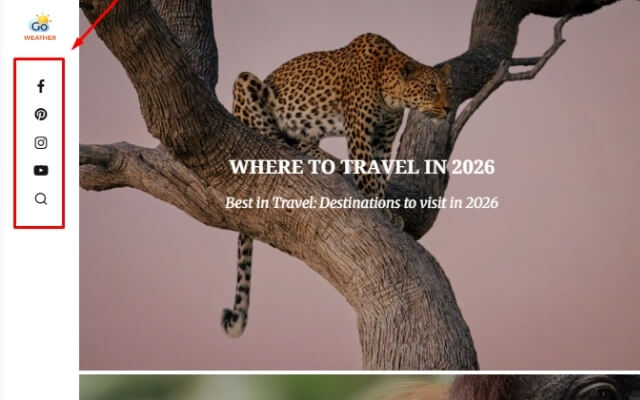
Widgets can appear as small icons in a sidebar or footer
-
A floating element fixed to the corner of the screen (such as a chat or weather widget)
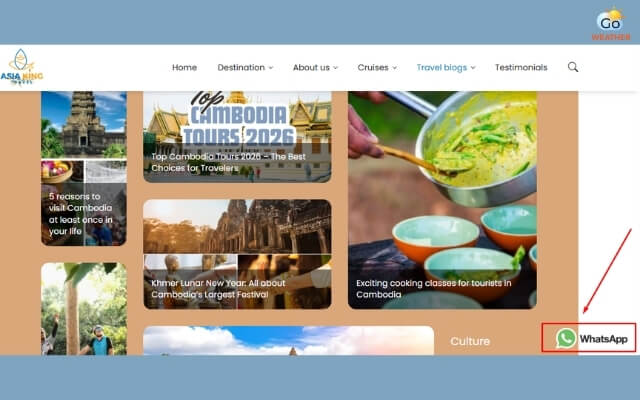
WhatsApp widget is fixed to the corner of the screen
How Widget Works On Website?
Behind the scenes, a widget works by embedding a small piece of code into a webpage. This code is typically written in JavaScript, HTML, or loaded via an iframe, allowing the widget to operate independently from the main website content.
Learn more: HTML code for weather widget
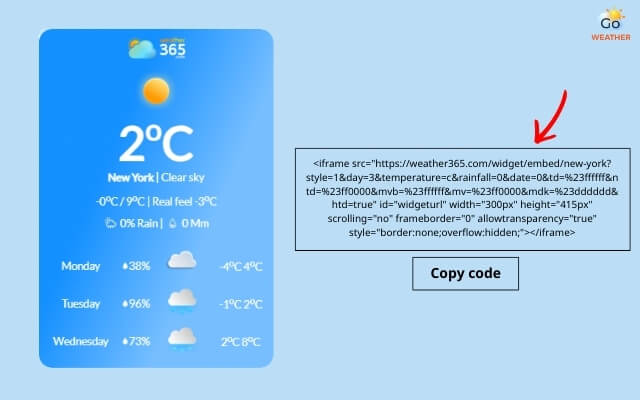
Widget works by embedding a small piece of code into a webpage
When a page loads, the widget:
-
Loads its script or embed code
-
Connects to a data source or service (such as an API)
-
Fetches and displays updated content in real time
For example, a weather widget pulls location-based weather data from a weather API and updates automatically without requiring the entire page to refresh. Interactive widgets such as chatbots or forms may also store user inputs temporarily to respond dynamically.
Because widgets are modular, they can be added, removed, or updated without redesigning the entire website. This flexibility makes widgets an efficient solution for enhancing functionality while keeping website performance and maintenance under control.
Why Your Website Needs A Widget?
In today’s competitive digital landscape, a website is no longer just a place to display information.
It needs to be interactive, helpful, and responsive to user needs, and this is exactly where widgets play a crucial role.
Improve User Experience and Accessibility
Widgets allow users to access key information instantly without navigating away from the page.
Features like weather widgets, live chat, or quick-contact forms reduce friction and make websites easier to use.
A smoother user experience leads to longer sessions and lower bounce rates - both positive signals for SEO.
A suitable widget can improve a website’s user experience
Increase User Engagement and Time on Site
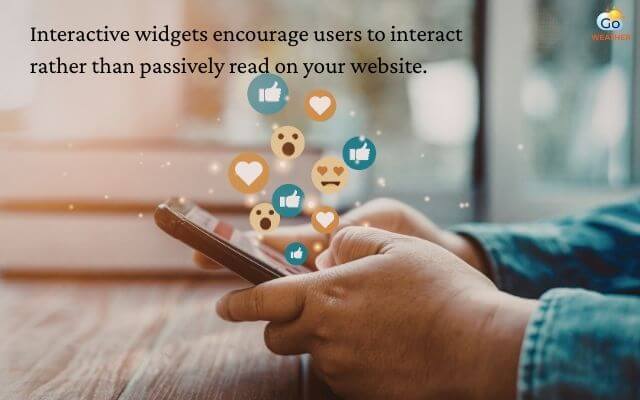
Interactive widgets such as chatbots, quizzes, polls, or social media feeds encourage users to interact rather than passively read.
When visitors spend more time engaging with your content, search engines interpret this as a sign of relevance and quality, which can indirectly support rankings.
Support Conversions and Lead Generation
Widgets are powerful conversion tools. Lead capture forms, call-to-action buttons, and booking widgets help turn traffic into measurable business results.
Instead of redirecting users to separate pages, widgets collect information directly within the browsing flow, improving conversion rates.
Deliver Real-Time and Relevant Information
Data-driven widgets, such as weather widgets or live updates, provide real-time content that stays relevant.
This is especially valuable for industries like travel, media, logistics, education, and local services where timely information directly influences user decisions.
Find out what is a widget weather here!
Enhance Website Performance and Scalability
Because widgets are modular, they can be added or removed without redesigning the entire website.
This makes it easier to test features, update content, or scale functionality over time while keeping development and maintenance costs low.
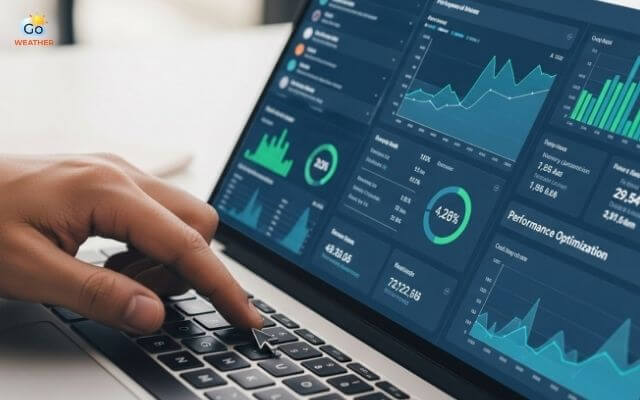
Widget improves website performance without affecting the core site structure
Strengthen SEO Through Behavioral Signals
While widgets are not direct ranking factors, they strongly influence SEO-related metrics such as dwell time, page interaction, and user satisfaction.
Well-implemented widgets help keep visitors engaged, guide them to relevant pages, and improve overall site usability - key elements of long-term SEO success.

A widget can influence dwell time, page interaction, and user satisfaction
Different Types of Website Widgets
Do you know that a small box on a page, like a widget, also has many different types?
Website widgets come in many forms, each designed to serve a specific purpose.
Understanding the different types of website widgets helps you choose the right ones for your site’s goals, whether that’s improving user experience, increasing engagement, or supporting conversions.
Below are the most common and important categories of widgets used on modern websites.
Common types of widgets
-
Information / Data Widgets: These types of widgets are designed to display useful, often real-time information directly on a webpage. They help users access key data quickly without navigating away.
Some examples of information/data widgets include weather, time, stock ticker widgets,...
Learn more: Weather Widget on Website
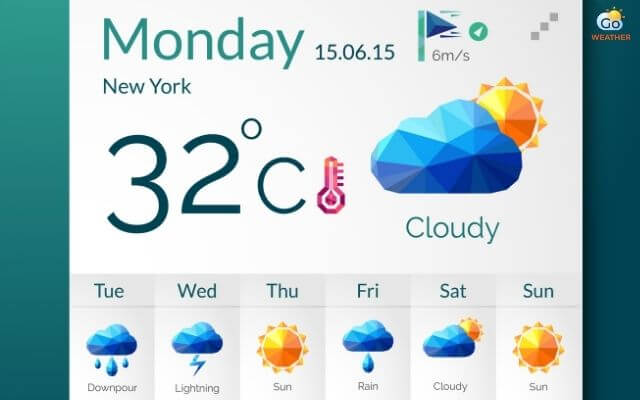
A weather widget is a type of information widget
-
Lead Capture & Forms: Lead capture widgets focus on collecting user information and supporting conversions. From an SEO and CRO perspective, these widgets play a critical role in turning traffic into leads.
Some examples of lead capture/forms widgets include contact forms, surveys, newsletter sign-ups,...
The contact forms widget allows visitors to send messages directly to site owners
-
Social Media feeds: Social media widgets embed live content from social platforms directly into a website. They help build trust, show activity, and increase engagement.
Some examples of social media feed widgets include Instagram, Twitter, Facebook widget….
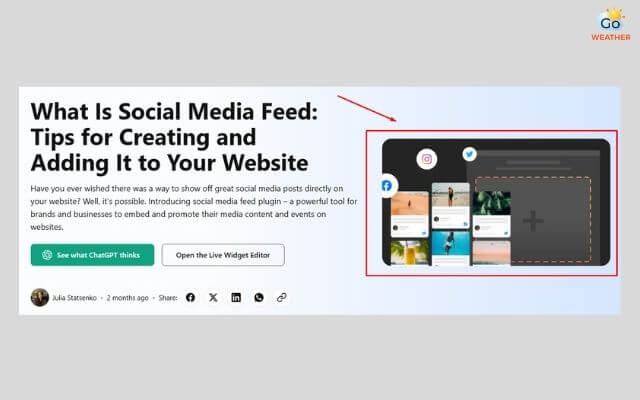
Social media embeds live content from social platforms directly into a website
-
Interactive widgets: This type of widget is to increase engagement through interaction, like chatbots, maps, calculators, countdown widget,.....
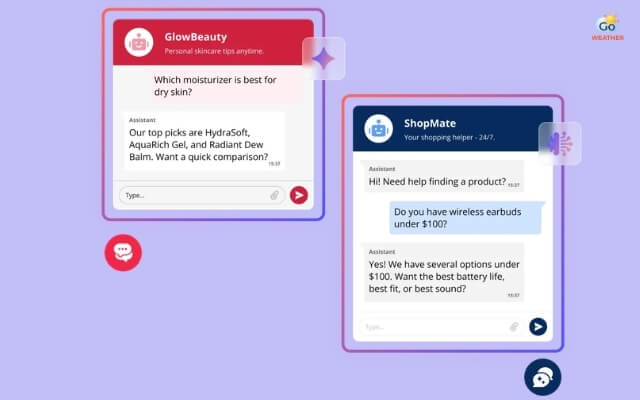
The AI chatbot widget is increasingly popular
Some examples of interactive widgets include chatbots, maps, calculators, countdown widgets,...
-
Content display: Content display widget helps organize and showcase content
Some examples of content display widgets include image sliders, video players, testimonials,...
Data & Dashboard widgets
These widgets are commonly used in admin panels, analytics tools, and SaaS platforms where data visualization is essential.
-
Visualization: Some examples of visualization are pie charts, line/bar charts,...
-
KPI indicators: The KPI indicators widget includes numeric, gauge, table widget,...
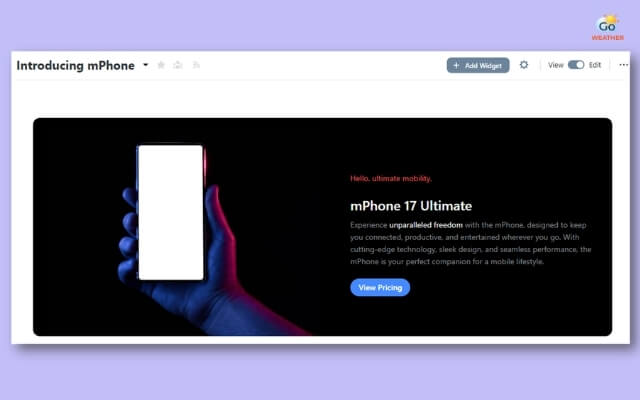
Hero widget is a type of dashboard widgets
Technical Framework Widgets
KPI widgets display key performance indicators at a glance. They are widely used in dashboards and reporting systems.
-
Stateless widget
-
Stateful widget
-
Layout/Structural
For a deeper explanation of each type of widget, drop by Different types of widget!
|
Types of widgets |
Examples |
|
Information / Data Widgets |
Weather, time, stock ticker widgets,... |
|
Lead Capture & Forms |
Contact forms, surveys, newsletter sign-ups,... |
|
Social Media feeds |
Instagram, WhatsApp, Twitter, Facebook widget…. |
|
Interactive widgets |
Chatbots, maps, calculators, countdown widget,..... |
|
Content display widgets |
Image sliders, video players, testimonials,... |
|
Visualization widget |
Pie charts, line/bar charts,... |
|
KPI indicators |
Numeric, gauge, table widget,... |
|
Stateless widget |
Icon, IconButton, Text,... |
|
Stateful widget |
Slider, Form, TextField,... |
|
Layout/Structural widget |
Column, row, stack,... |
Final thoughts
So what is a widget on a website? Long story short, a widget is a powerful yet flexible tool that enhances functionality, engagement, and user experience without complicating site structure. Whether it is weather widgets or data-driven elements, widgets help websites deliver real value efficiently. Choosing the right widget to ensure better performance, usability, and long-term growth!
FAQs
-
What is the maximum number of widgets on a website?
There is no technical limit to how many widgets you can place on a website. However, the real limitation comes from performance and user experience. Too many widgets can slow down page speed and clutter the interface. (Learn how to improve website loading speed here).
-
Are widgets only for websites and desktops?
No. Widgets are used across multiple platforms, including mobile apps, operating systems, and smart devices. However, website widgets are specifically designed to be embedded into web pages and accessed via browsers.
-
Can widgets be customized?
Yes, most modern widgets can be customized. Typically, you can adjust color, font, size, layout, data sources, and even the display logic of a widget. Drop by the Customizable weather widget to find out the top weather widget that can be customized.
![10 Health & Safety Precautions During Rainy Season [Be Careful]](https://admin.goweatherforecast.com/images/1732692097.png)




0 Comments
Leave a Comment
Your email address will not be published. Required fields are marked *